Split View on Google Chrome: The Best Feature They Shipped in 2026
Chrome shipped Split View in v145 in Feb 2026. It lets you view two tabs side by side in one window and kills back-and-forth tab fatigue. It is not flashy. It is the most important productivity shift Chrome made in years.
What Split View Actually Is
Google Chrome introduces productivity tools including Split View and built-in PDF editing.
Google Chrome, the world's most popular web browser, is getting a bunch of new features. In a blog post, Google announced that Chrome is getting a Microsoft Edge-like Split view.
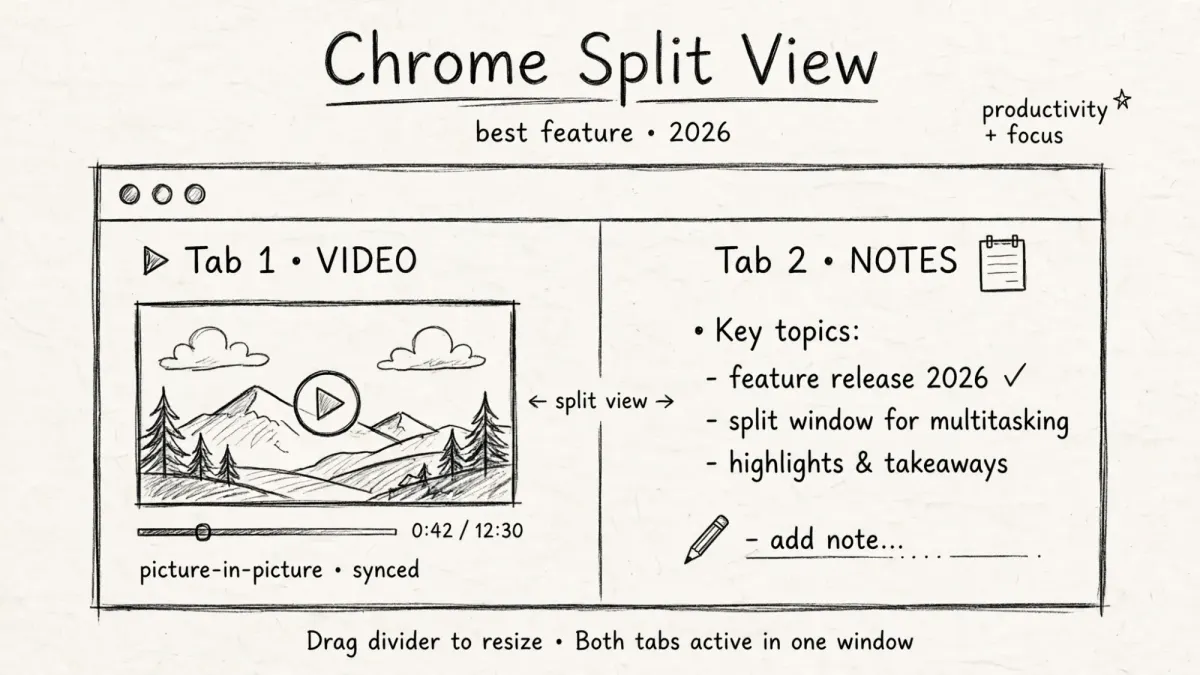
As the name suggests, the functionality allows users to view two tabs simultaneously in a single window.
Google is officially announcing a trio of new desktop Chrome productivity features today: Split View, PDF annotation, and Save to Google Drive.
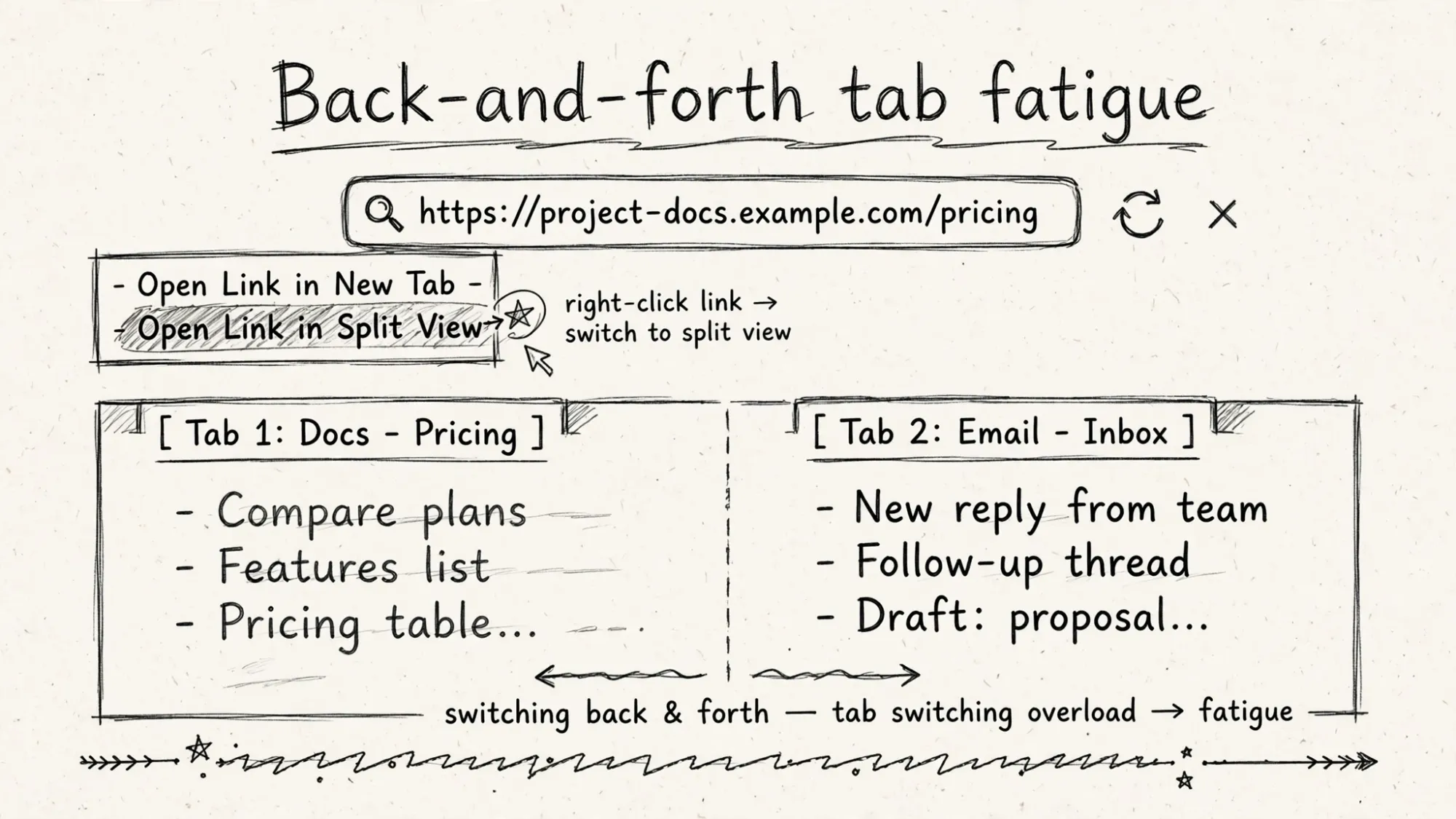
Up first is Split View to have two tabs open side-by-side. Meant to cut down on back-and-forth tab fatigue.
You activate it by right-clicking on a URL for the new Open Link in Split View option alongside New Tab, Window, and Incognito.
The feature rolled out in February 2026 and is available in Chrome version 145 and later.
How It Works
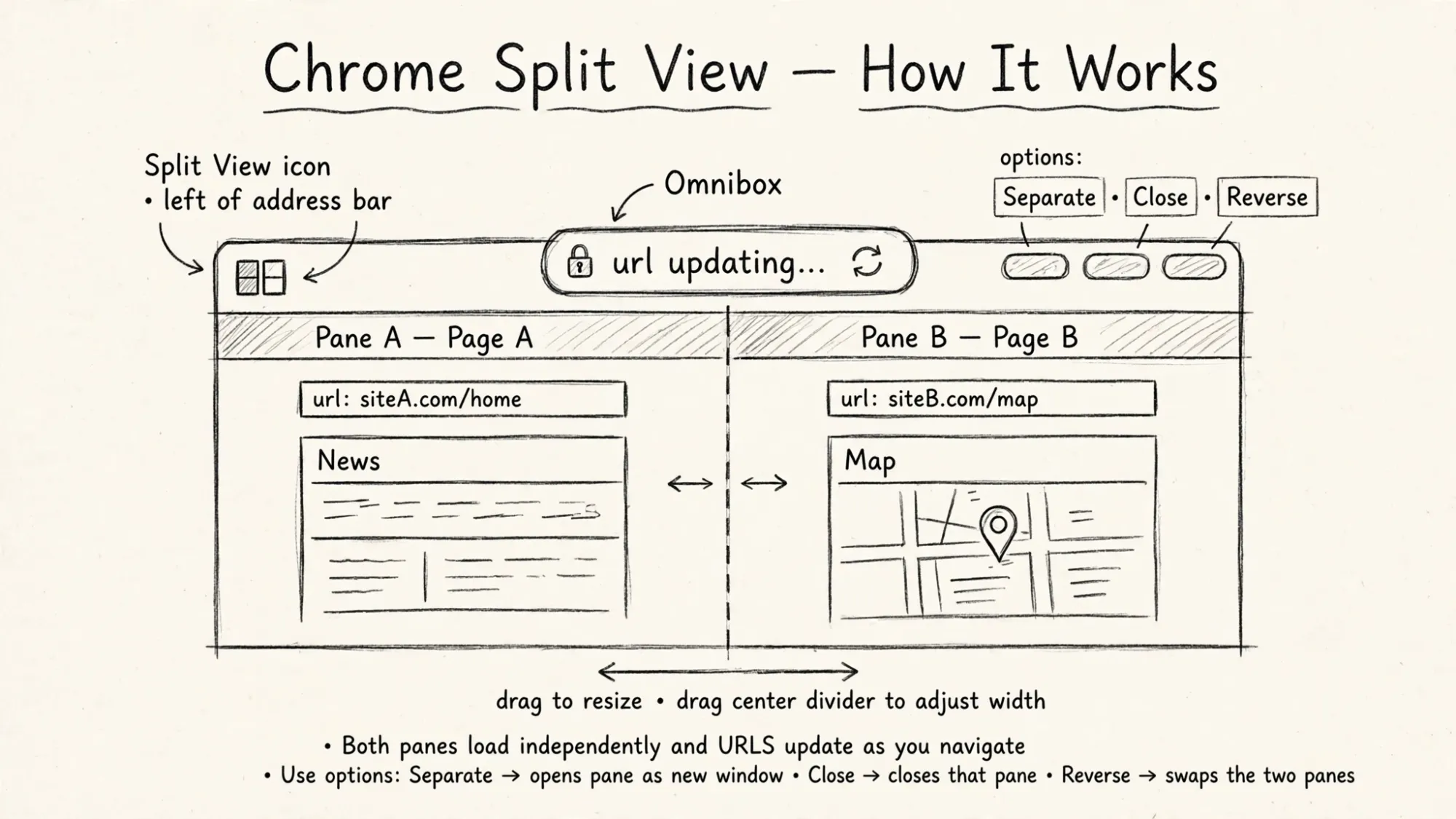
This brings you to a dual-pane interface beneath the Omnibox, with the URL updating based on the page you are currently interacting with.
There is a new Split View icon to the left of the address bar with options to Separate, Close, and Reverse. You can adjust the width by dragging the center.
The headline feature is split view in Chrome, which allows users to display two tabs side by side within one browser window. The feature is intended to reduce the need to switch between multiple tabs or open separate windows.
No separate window.
No extension.
Both tabs active in one window.
Why This Is The Best Feature in 2026
Chrome tried AI first. It shipped AI in Omnibox, AI tab groups, AI history search.
None fixed the core pain.
Core pain is back-and-forth tab fatigue.
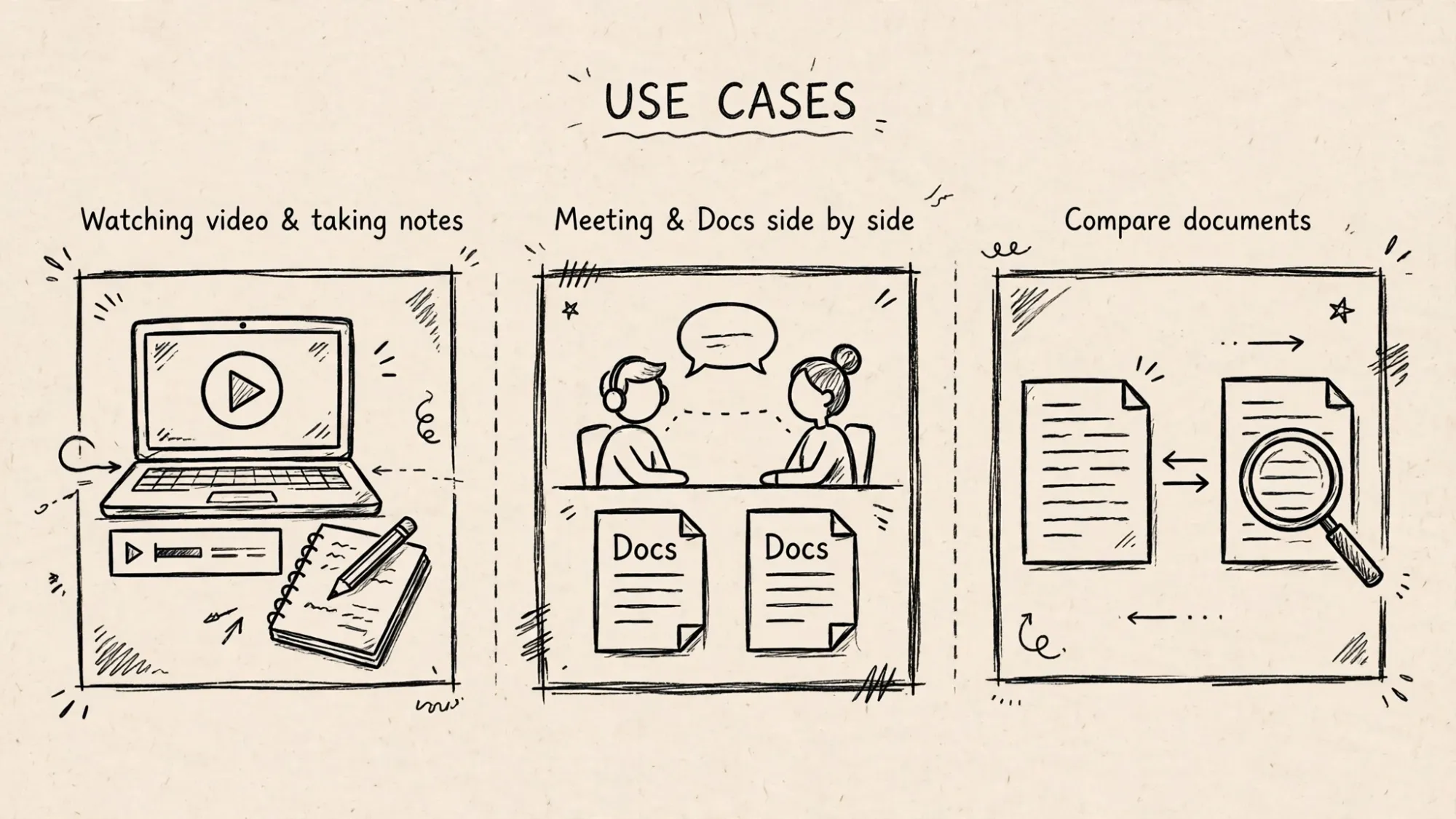
Example use cases include watching a video and taking notes, or having a meeting window and Docs open at the same time.
For example, you can use Chrome's split view feature to take notes while watching a YouTube video and refer to a document while coding.
That is real workflow.
Research shows tab switching costs 9 to 23 seconds per switch plus context loss.
Split View removes switch entirely.
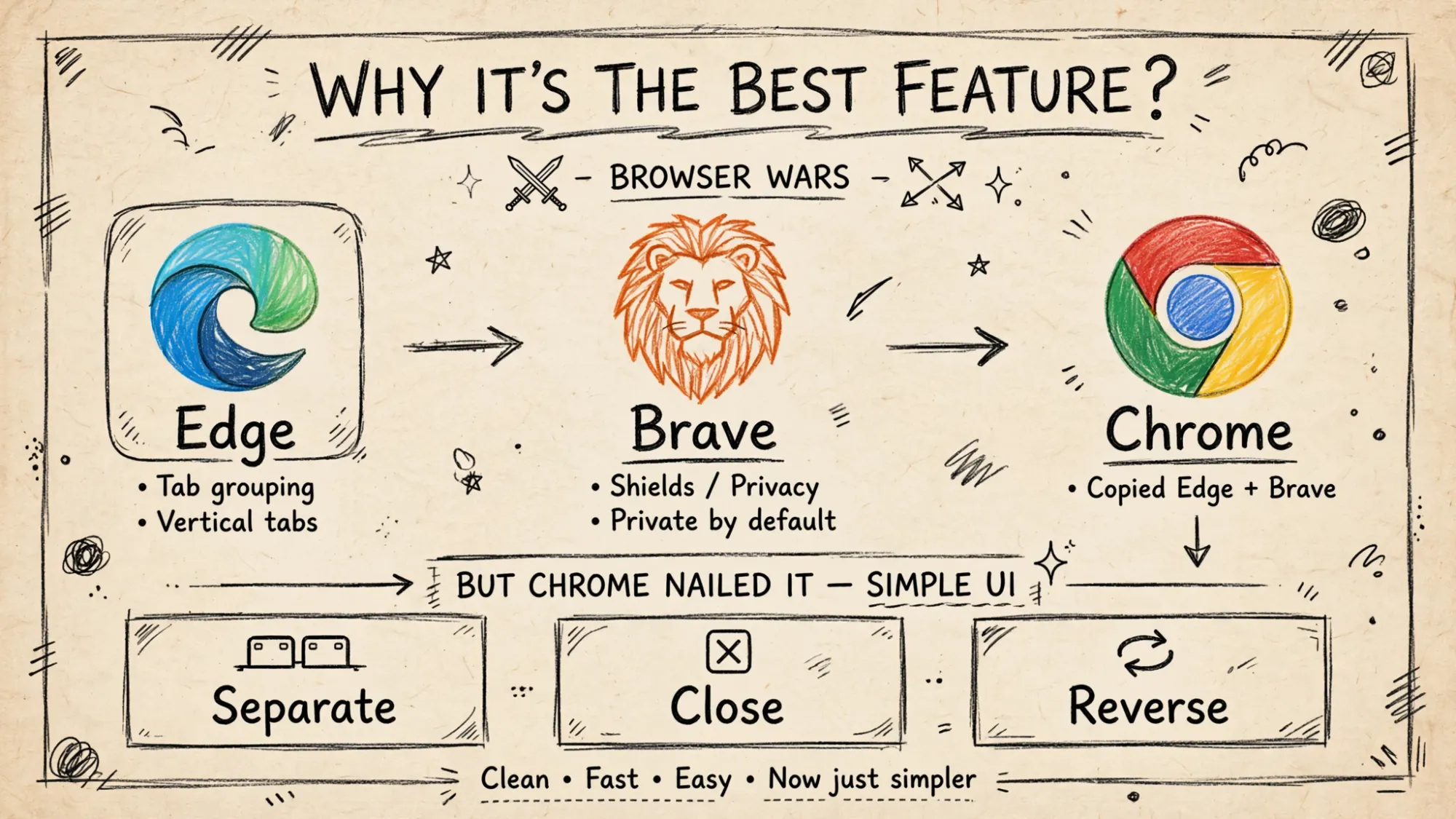
Google's Chrome browser is getting a new Split View feature that you may have already seen in other Chromium-based browsers such as Microsoft Edge and Brave.
Our work with early testers has shown that split view is already helping people multitask and get more done on the web.
It is not new idea. It is right execution at Chrome scale.
Business Model Angle
Chrome dominates at 71 percent share.
It monetizes attention and search.
Split View increases attention time.
Two tabs active means double dwell time in same window.
No window switching means less chance to leave Chrome.
PDF annotation and Save to Google Drive also tie you deeper into Google ecosystem.
This trio is not productivity for free. It is retention.
Edge and Brave shipped split view first. Chrome waited, then shipped it natively to stop leakage of power users to Edge.
Browser wars in 2026 are not about speed. They are about workflow lock-in.
Consumer Psychology: Side By Side Beats Switching
Users think they multitask by switching tabs.
In reality, switching breaks flow.
Split view fixes psychology.
- Seeing two sources side by side reduces memory load.
- Dragging divider to resize gives control.
- Separate, Close, Reverse are simple mental models.
- No new shortcut to learn. Right-click is already habit.
That is why early testers report more done.
It feels less tiring.
That feeling drives daily retention more than any AI summary.
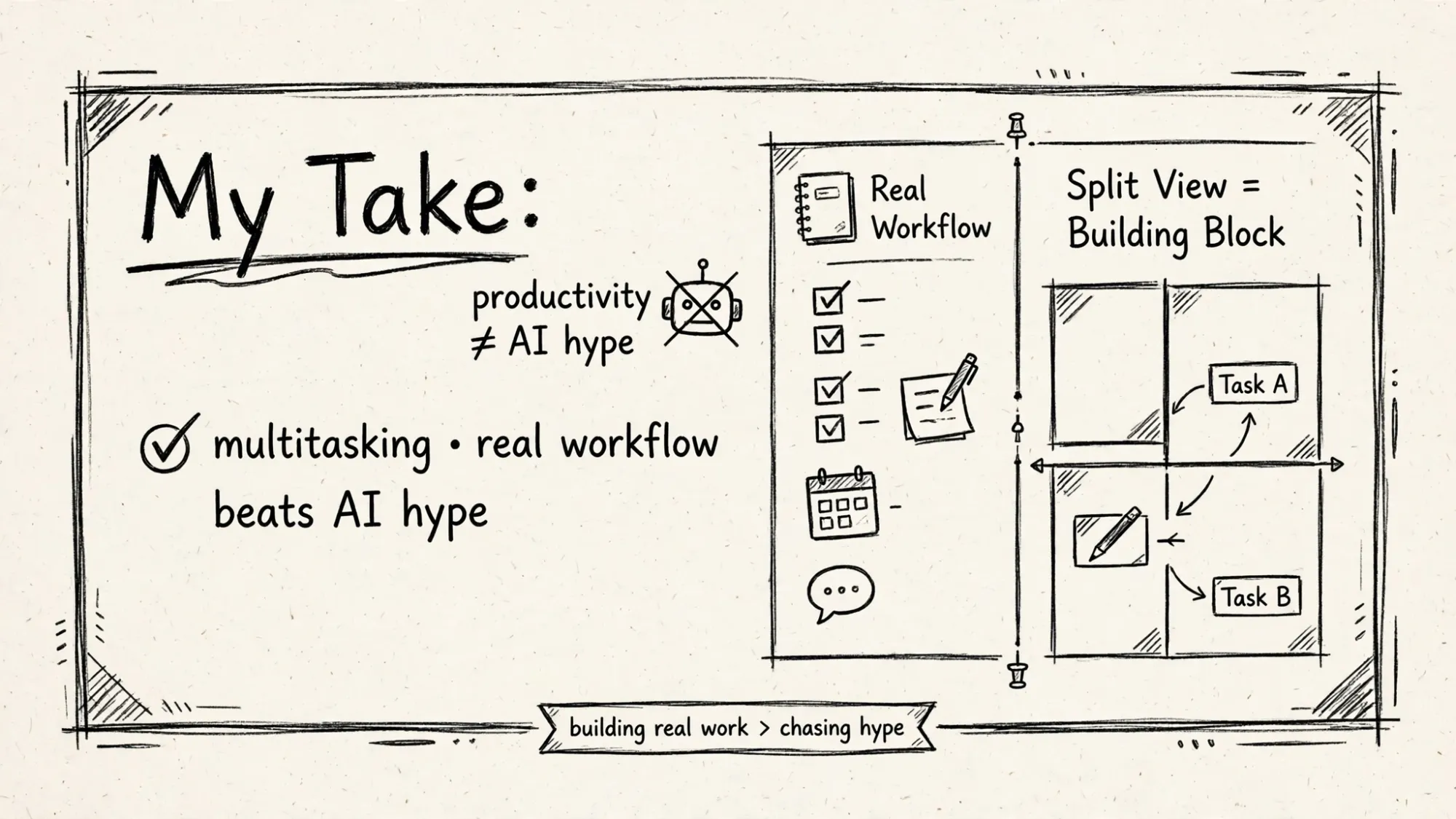
My Take: Productivity Beats AI Hype
My take is simple.
2026 was supposed to be year of AI browser.
Perplexity Comet, OpenAI Atlas, Dia, all promised agent browsing.
Best feature shipped was not AI.
It was two tabs side by side.
Because best features remove friction, not add magic.
Chrome Split View will become default way to work.
You will open link in Split View instead of new tab.
That changes browsing from serial to parallel.
That is bigger shift than any chatbot in sidebar.
FAQ
How to use Chrome Split View?
Right-click a link, select Open Link in Split View. Available in Chrome 145 and later from Feb 2026. Drag center to resize. Use Split View icon to Separate, Close, Reverse.
Why is Split View best feature in 2026?
It cuts back-and-forth tab fatigue, lets you watch video and take notes or have Docs and meeting side by side, and is built in with no extension. Early testers report better multitasking.
Does Chrome Split View exist on mobile?
No. Desktop only for now. Windows, macOS, Linux in Chrome 145 and later.