Google CC: Your Inbox Now Has an AI Agent
Google just put an AI assistant inside your inbox. Meet CC from Google Labs.
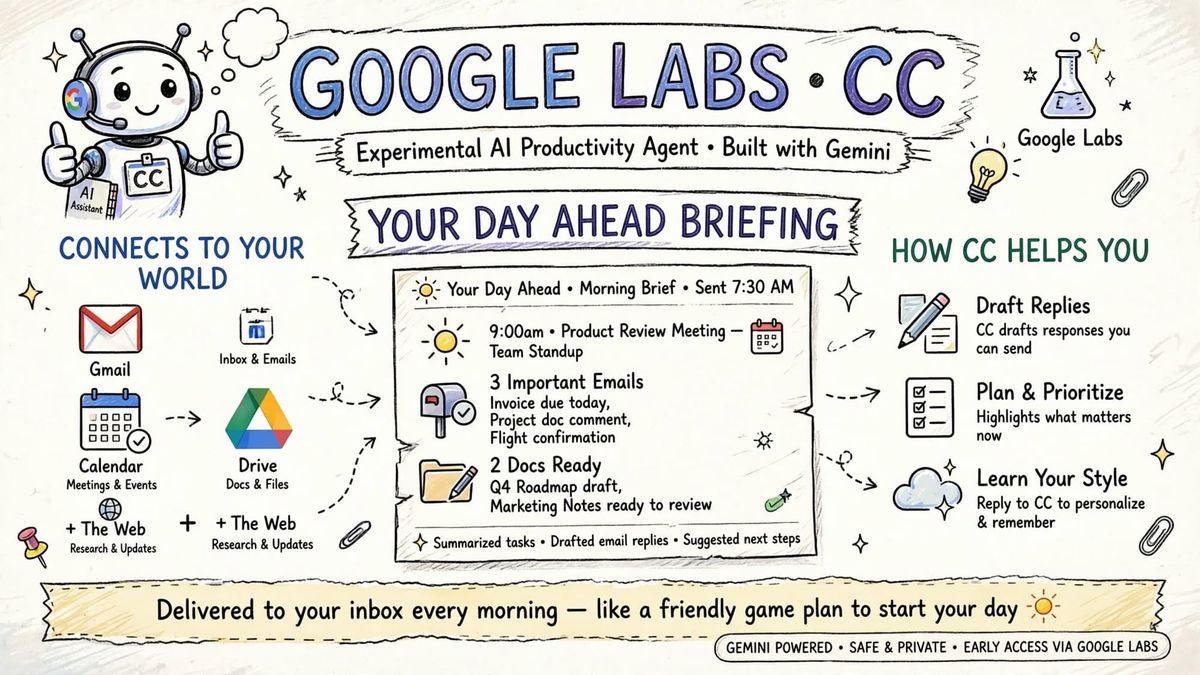
Google Labs finally did what everyone wanted: an AI that actually reads your email, calendar, and Drive and tells you what to do.
CC is our new experimental AI productivity agent from Google Labs, built with Gemini to help you stay organized and get things done. When you sign up, it connects your Gmail, Google Calendar, Google Drive and the wider web to gain an understanding of your day, delivering a “Your Day Ahead” briefing to your inbox every morning.
No new app. No tab hopping. Just an email.
What is CC?
Introducing CC, an experimental AI productivity agent in Gmail.
Get a “Your Day Ahead” briefing every morning in your Gmail inbox and email CC anytime for help.
Built on Google's Gemini AI model, CC connects with Gmail, Google Calendar, Google Drive and the wider web to gain an understanding of a user's schedule and priorities.
Think of it as a chief of staff who lives in Gmail.
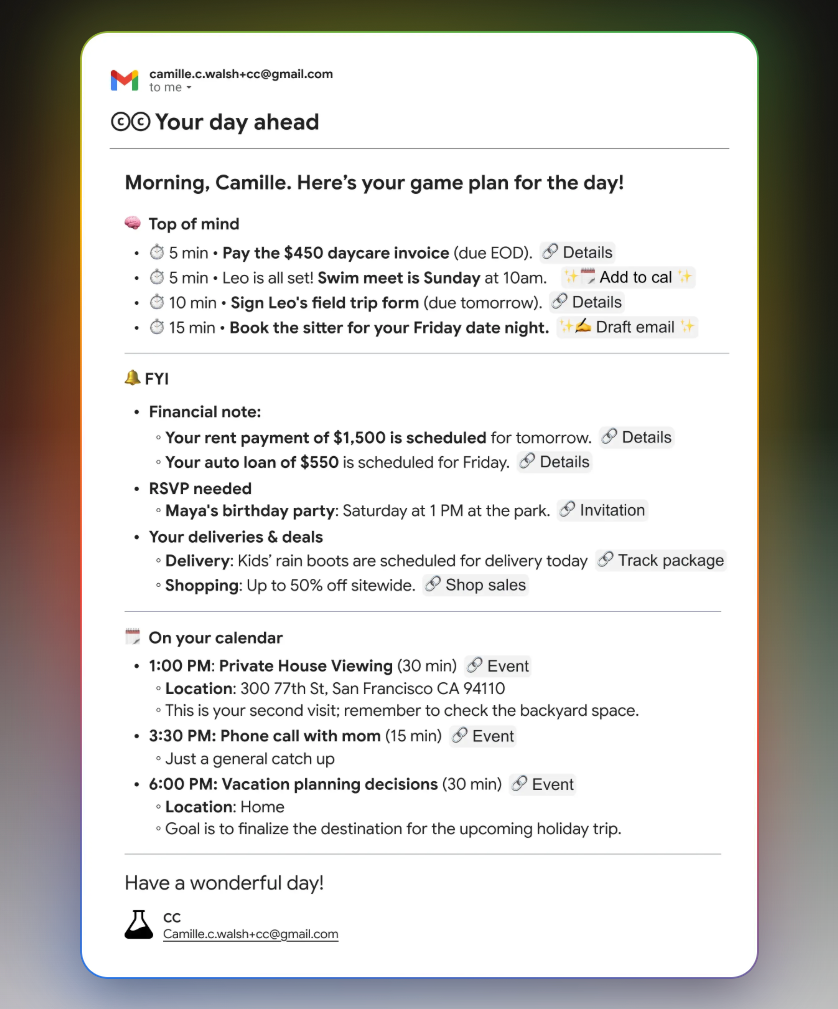
Once enrolled, CC delivers a daily “Your Day Ahead” briefing to the user’s inbox every morning. The summary brings together key calendar events, tasks and updates.
This briefing synthesizes your schedule, key tasks and updates into one clear summary, so you know what needs to be done next, whether it's paying a bill or preparing for an appointment. CC also prepares email drafts and calendar links when needed to help you take action quickly.
Real example from the briefing:
- 9:00am Product Review Meeting - Team Standup
- 3 Important Emails: Invoice due today, Project doc comment, Flight confirmation
- 2 Docs Ready: Q4 Roadmap draft, Marketing Notes ready to review
- Summarized tasks, drafted email replies, suggested next steps
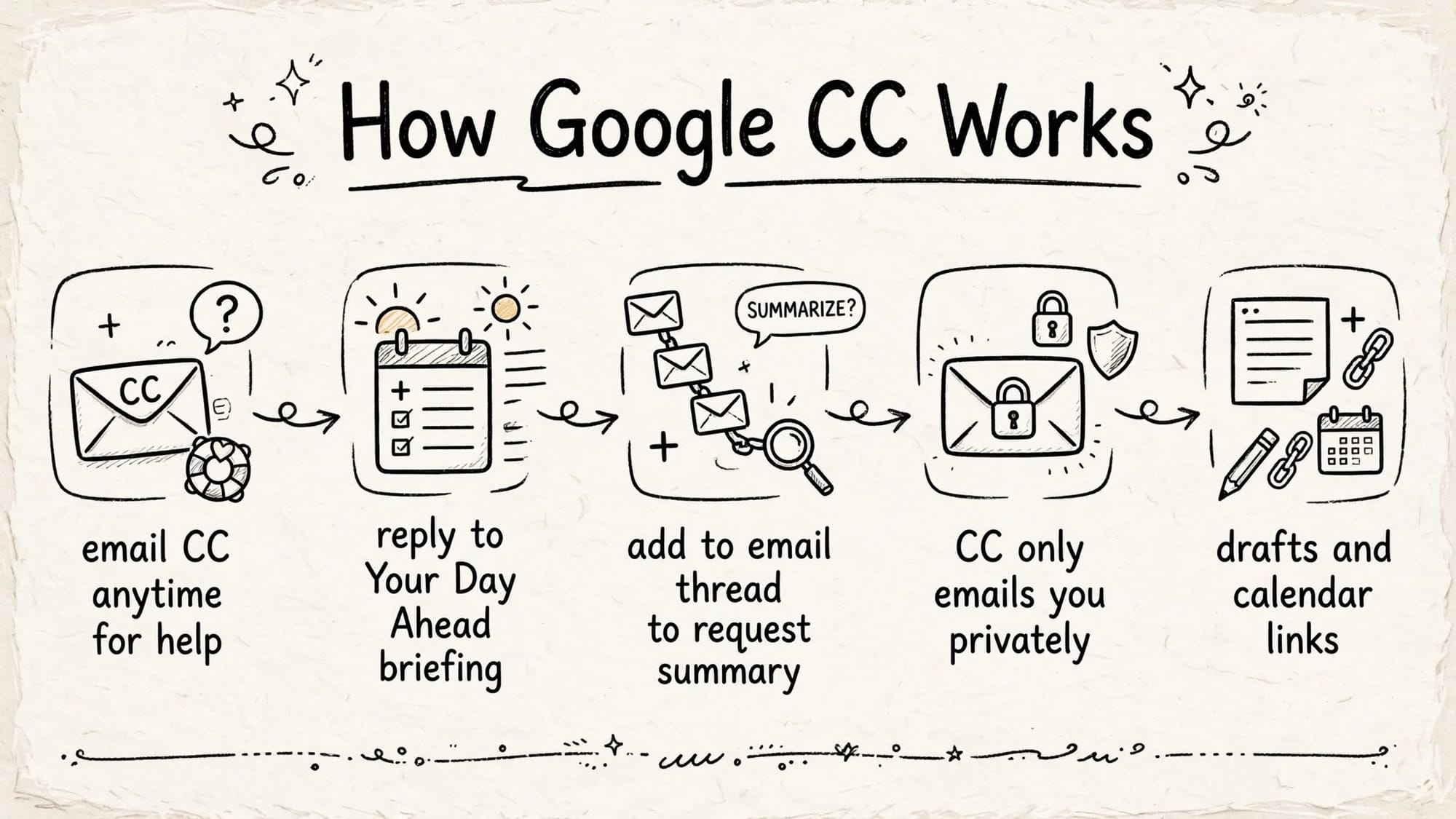
How CC Works
- Email CC anytime for help: You can email CC directly. There is also the ability to email your-username+cc@gmail.com directly.
- Reply to Your Day Ahead briefing: You can steer CC by replying to the briefing to teach it details about yourself, correct info, remember ideas, and add to-dos. Plus, you can steer CC by replying
- Add to email thread to request summary: You can add it to an email thread to request a summary; it will still only reply to you privately
- CC only emails you privately: CC will only ever email you, but you can add it to an email thread to request a summary; it will still only reply to you privately
- Drafts and calendar links: Agentic capabilities include preparing email drafts and calendar links when needed to help you take action quickly
You can also reply to or email CC at any time with requests such as adding to-dos, teaching it to your preferences, remembering notes, or searching for information.
Privacy and Availability
- CC is an early Labs experiment, launching in early access today to Google consumer account users 18+ in the U.S. and Canada
- It functions independently as an experimental service from Google Labs and is separate from Google Workspace and Gemini Apps
- Google says data processed by CC is not used to train Google’s foundational generative AI models
It is optional, not automatically enabled with Gmail accounts.
Early access began December 16, prioritizing Google AI Ultra and paid subscribers. There is a waitlist at labs.google/cc.
The best AI agent is not another chatbot you have to remember to open. It is one that shows up where you already live: your inbox at 7:30 AM.