Brave's New Containers Feature Will Challenge Chrome's Dominance
Brave shipped Containers in v1.92 on July 2. It lets you be logged into two accounts on the same site at once. Chrome cannot copy it without breaking its single-identity ad model. That is why it is a wedge.
We assume Chrome wins because it is faster. In reality, Chrome wins because it forces one identity. Brave Containers breaks that.
Inspiration: Watching Brave launch Containers on July 2 and realizing Chrome cannot follow. Chrome needs one identity to sell ads. Modern work needs four.
What Brave Containers Actually Is
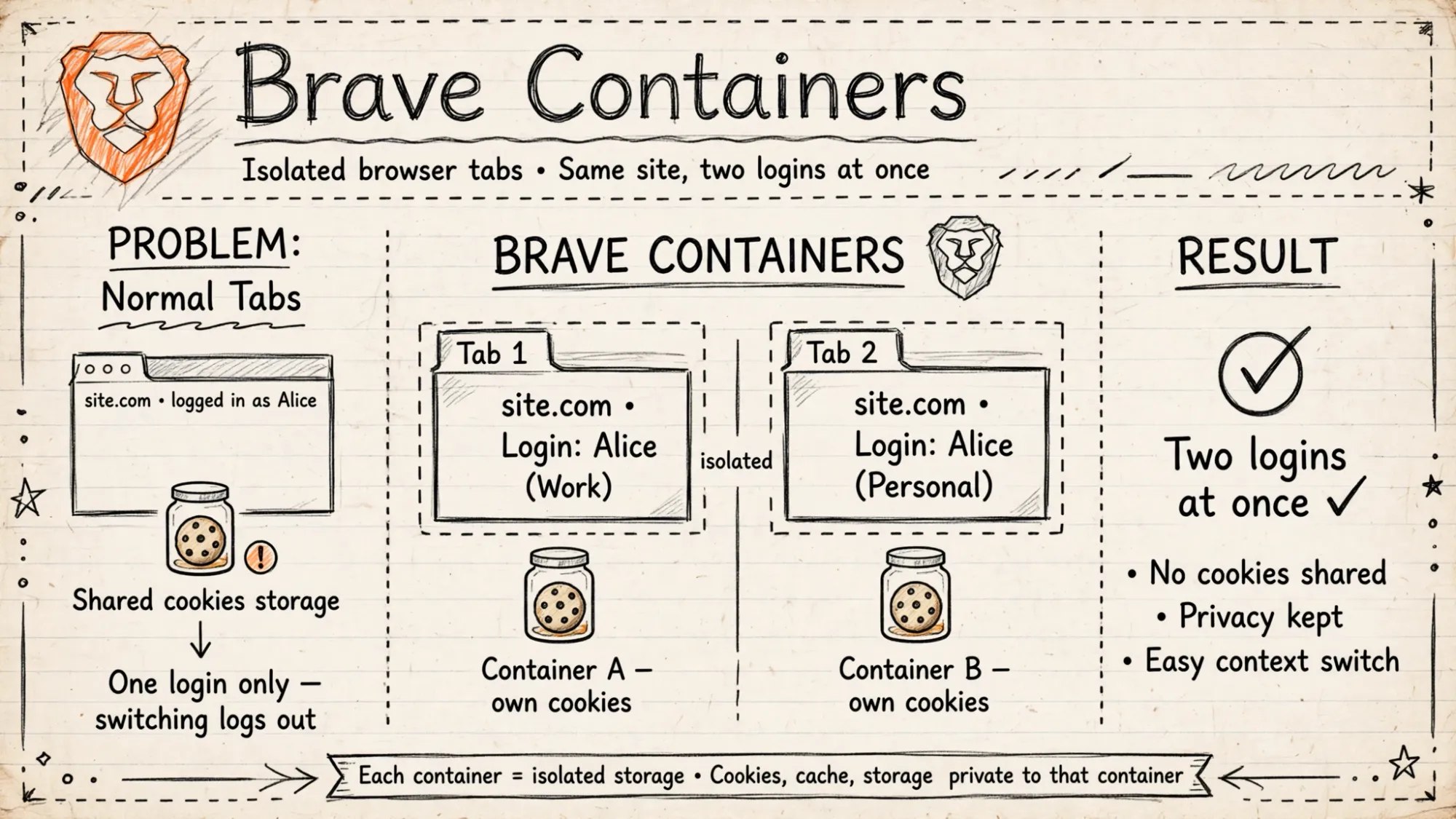
Brave browser version 1.92 introduces the much-anticipated container feature, enabling users to isolate tabs with their own cookies and storage.1
With this update, users can keep data and login sessions in separate containers, preventing information from being shared across tabs even when visiting the same website.1
Containers are now available with today's update of the Brave browser v1.92, enabling convenience and ease-of-use for everyday tasks.2
Containers are a way for users to isolate tabs from one another so that their cookies and storage are not shared outside of the container, even when visiting the same site.2
To get started, simply go to Settings and click on Enable Containers. You can also right-click a tab, select Open in container, and choose the category.2
Containers are now built into Brave 1.92 on all desktop platforms, no extension needed.2
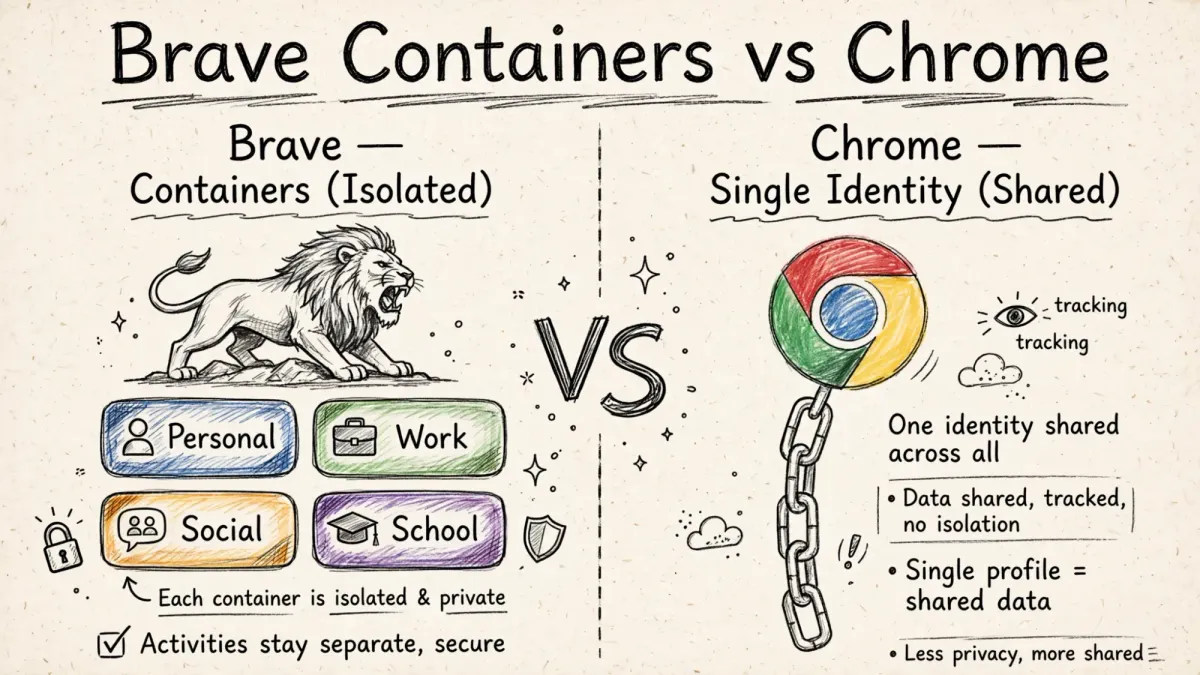
Brave lists four default containers, Personal, Work, Social, and School, and you can open any of them from a right-click.3
Firefox has offered its popular Multi-Account Containers extension for years. Containers on a Chromium-based browser are far less common.3
That makes Brave's move notable.
Why Chrome Can't Copy It
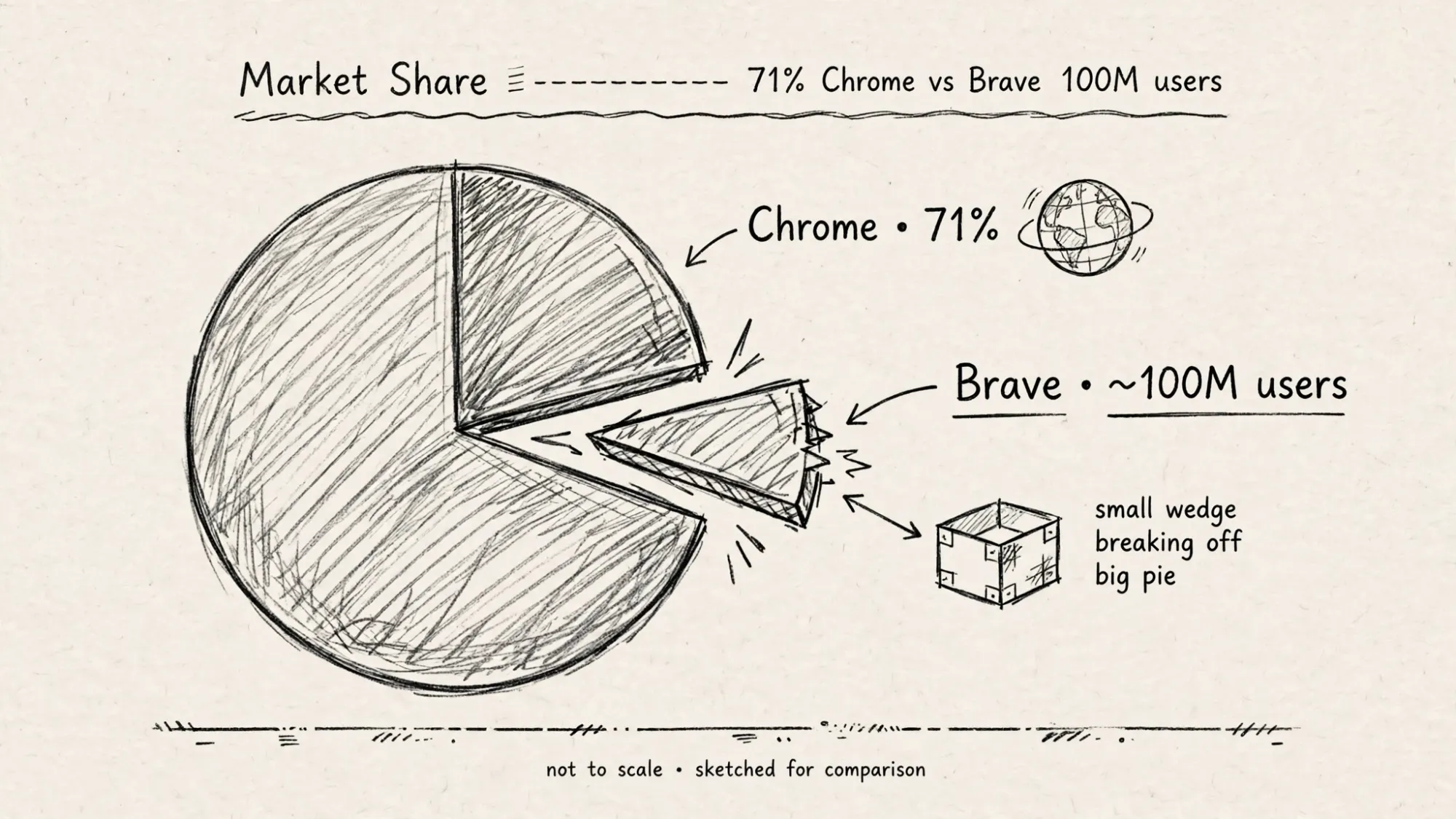
Chrome dominates browser market share at 71.37 percent globally.4
Brave crossed 100 million monthly active users in September 2025, around 1 to 1.5 percent of global browser market share.5
Why has Chrome never shipped containers natively?
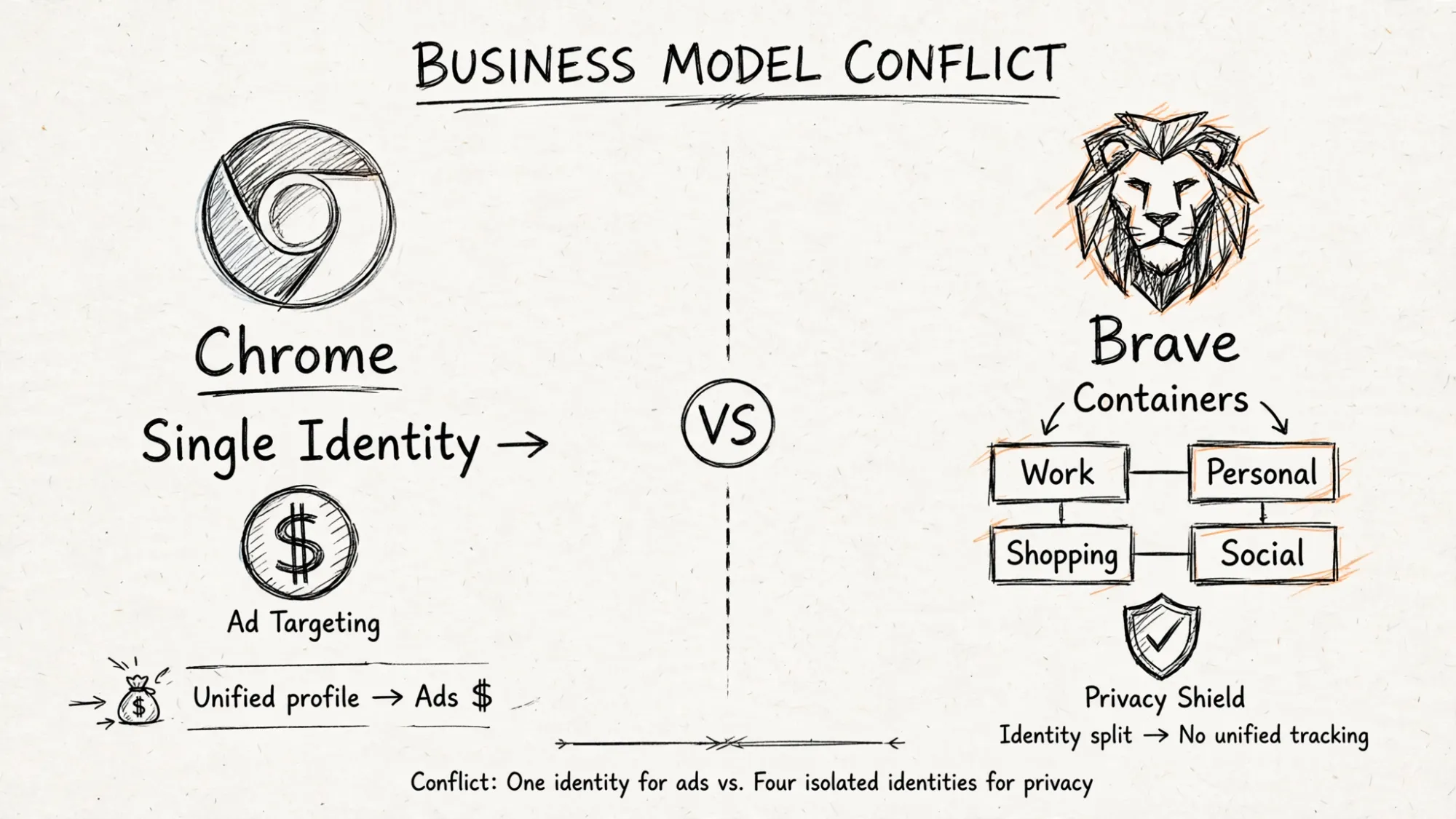
Because Chrome's business model needs one identity.
One person equals one profile equals one ad auction.
Containers break that by design.
They let you present different identities to a site.
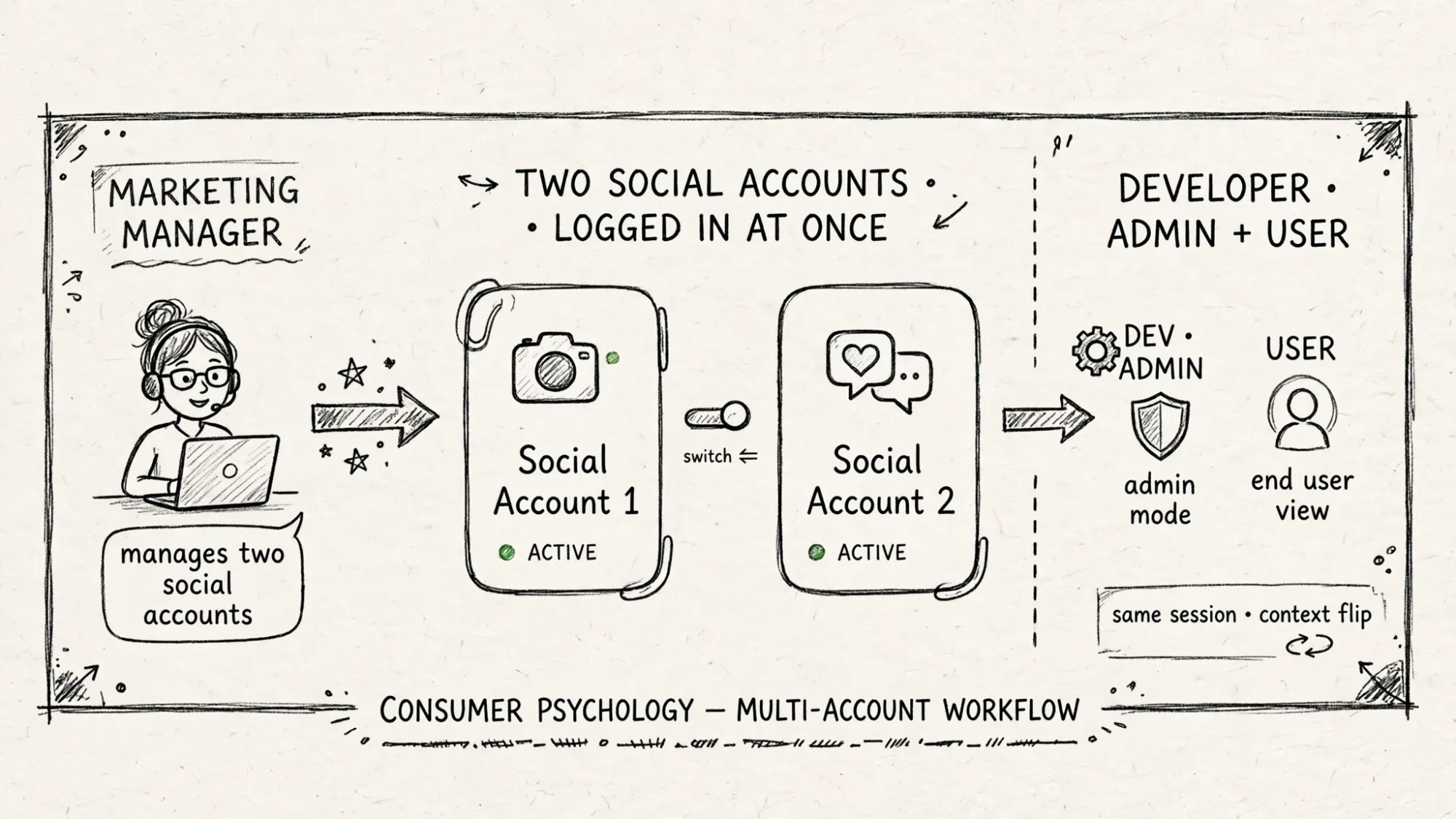
A marketing manager might use containers to be logged into two different social media accounts at the same time.2
A developer might use containers to test an application with one tab logged in as an administrator and another as a regular user.2
Each use case fractures the unified profile Chrome monetizes.
Brave can do this because Brave does not monetize unified identity.
Chrome cannot do this without cannibalizing its core.
That is the strategic asymmetry.
The Convenience Not Privacy Trick
Here is the subtle insight.
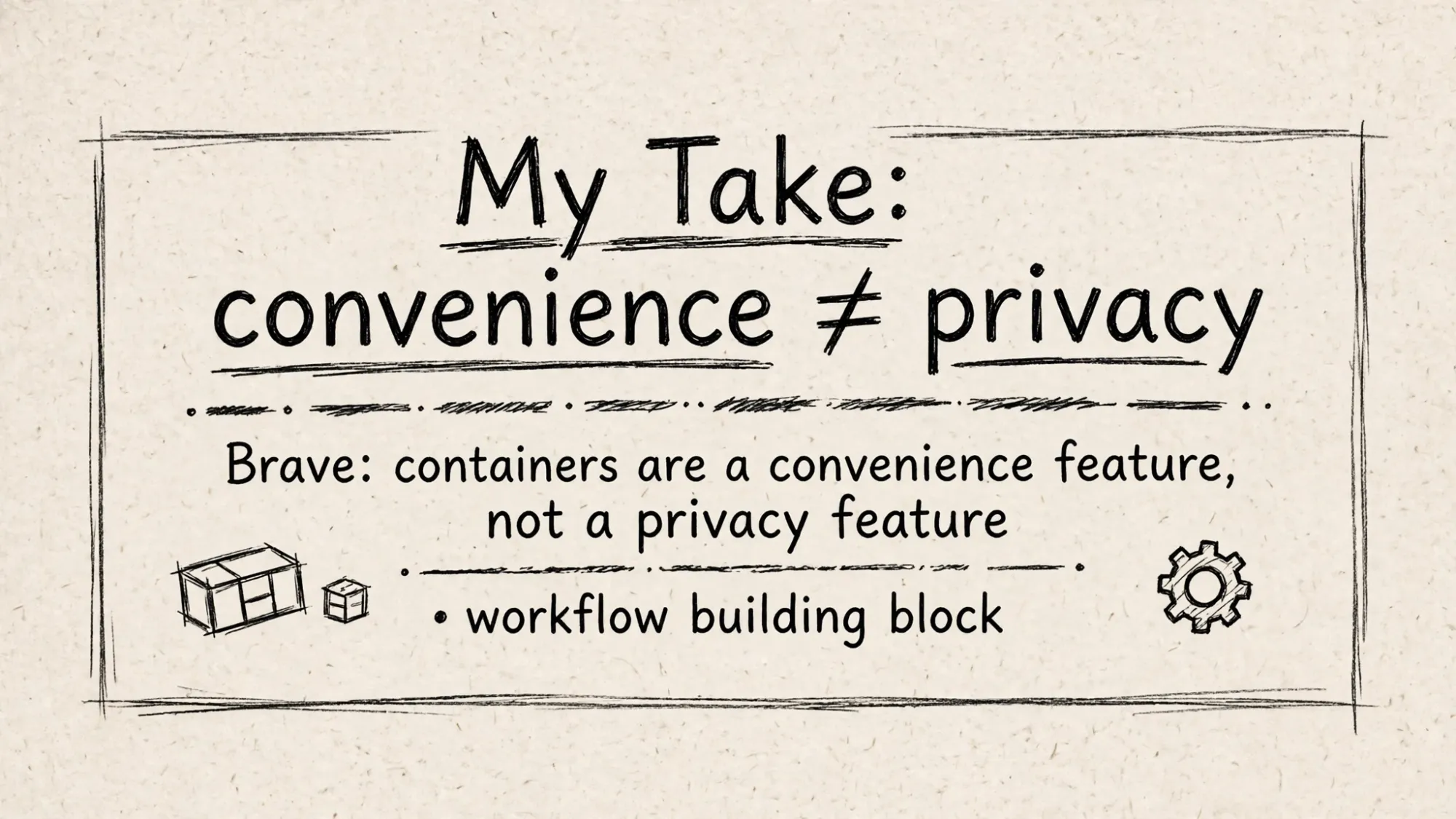
Brave says this is not a privacy feature.
Since this privacy benefit is already built-in to Brave with storage partitioning, containers are best understood as a convenience feature to present different identities to a site and as a basic building block for specific workflows.2
That framing matters.
Firefox sold containers as privacy.
Brave sells containers as workflow.
Privacy scares enterprises. Workflow sells to enterprises.
Marketing managers, developers, MSPs, creators juggling work and personal accounts.
These are high value users who live in browsers 8 hours a day.
They do not want another profile window.
They want right click, Open in Work.
That is convenience that compounds.
Chrome offers profiles, but profiles are heavy. Separate windows, separate histories, separate logins.
Containers are light. Same window, same browser, isolated cookies.
That difference is why this is a lifesaver for anyone juggling multiple accounts.
The Wedge That Breaks 71 Percent
Market share dominance looks stable until workflow breaks it.
Chrome's 71.37 percent share is built on default and enterprise deployment.
But defaults crack when power users move.
Power users set defaults for teams, families, companies.
Brave's wedge is clear:
- No extension needed, built in.
- Four defaults ready, Personal Work Social School.
- Same engine as Chrome, so no site compatibility pain.
- Storage partitioning plus containers equals better isolation than Chrome.
Firefox had containers for years. It could not convert Chrome users because engine gap meant broken sites.
Brave has Chromium engine plus containers. That removes the last objection.
100 million users is small.
But it is 100 million users who chose to switch despite Chrome default.
Containers turn that trickle into a workflow migration.
Once you live in Work and Personal containers, you cannot go back to one identity.
That is sticky.
My Take: Identity Is The New OS
Browsers used to be windows to the web.
Now they are operating systems for identity.
You are not one person online.
You are four. Work, personal, social, school.
Chrome forces you to be one person because one person is easier to auction.
Brave lets you be four people because four people is how modern work actually works.
The original idea for Containers came about when browsers gave different sites ability to share storage via third-party cookies. Now Brave already isolates each site. Containers are the next layer. User controlled identity.
Chrome cannot follow without breaking its ad machine.
Brave can lead because it has no ad machine to break.
That is why Containers will challenge Chrome's dominance. Not by being more private. By being more useful.
FAQ for Search
What is Brave Containers in v1.92?
Brave browser version 1.92 introduces containers enabling users to isolate tabs with own cookies and storage, preventing information from being shared across tabs even when visiting same website. Published July 2, 2026.
How to enable Brave Containers?
Go to brave://settings/braveContent and click Enable Containers. Right-click a tab, select Open in container, choose Personal Work Social School. Built into all desktop platforms, no extension needed.
Why can't Chrome copy Brave Containers?
Chrome dominates at 71.37 percent globally and monetizes single identity for ad targeting. Containers break single identity into multiple isolated identities. Brave with 100 million users can, because it does not rely on unified ad profile.
- Brave now has working containers like Firefox for tab isolation and account separation — https://alternativeto.net/news/2026/7/brave-now-has-working-containers-like-firefox-for-tab-isolation-and-account-separation/ ↩ ↩2
- Brave’s latest browser release offers Containers for better and easier workflow | Brave — https://brave.com/blog/containers/ ↩ ↩2 ↩3 ↩4 ↩5 ↩6 ↩7
- Brave Containers (v1.92): Built-In Multi-Account Browsing — https://techmymoney.com/2026/07/03/brave-containers-v1-92-multi-account-browsing/ ↩ ↩2
- Browser Market Share Shifts: Privacy Browsers Challenge Chrome - Digital Digest — https://digitaldigest.com/browser-market-share-privacy-browsers-vs-chrome-2026/ ↩
- The Best Web Browsers in 2026, Ranked by an Independent Journalist Who Benchmarked All of Them | by Alec Novella | Apr, 2026 | Medium — https://medium.com/@novellaalec/thebest-web-browsers-in-2026-ranked-by-an-independent-journalist-who-benchmarked-all-of-them-a5109f1c2b92 ↩